 One Good List
One calm list for your whole life.
Your tasks, calendars and reminders on one daily page. Together for you. Shared only where you choose.
Join the beta waitlistInvitations go out in small groups.
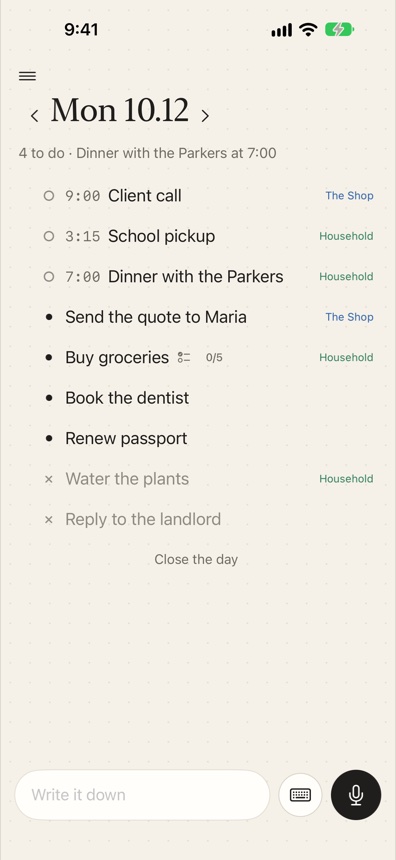
Your whole day. Your choice of who sees it.
Keep one list. Make a space for each part of life you share. People in a space see that space and nothing else.
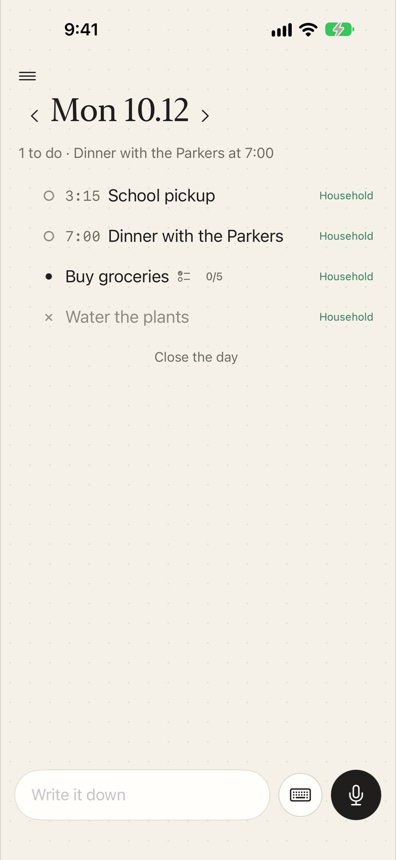
Say it once. It lands on the right day.
Talk or type from any page, the Lock Screen or the Action Button. One sentence with three things in it becomes three items on the right days.
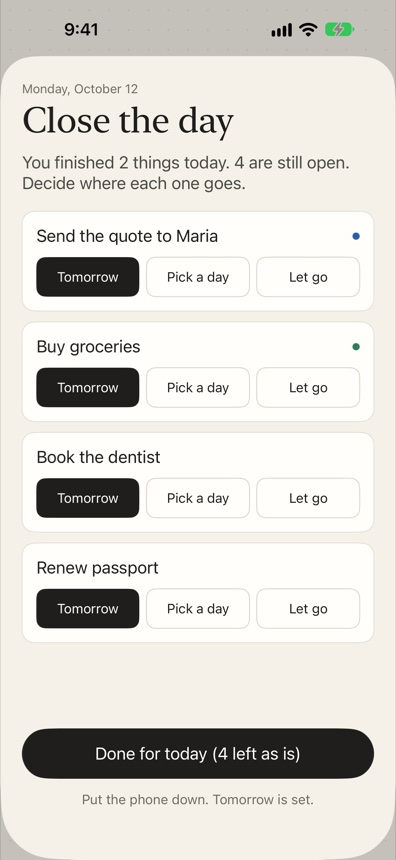
Close the day. Put the phone down.
Move what's left to tomorrow, pick another day, or let it go. No red badges, no overdue counts, no streaks. Things just carry over.
- A few honest choices for each thing you didn't finish.
- A clear end: “Put the phone down. Tomorrow is set.”
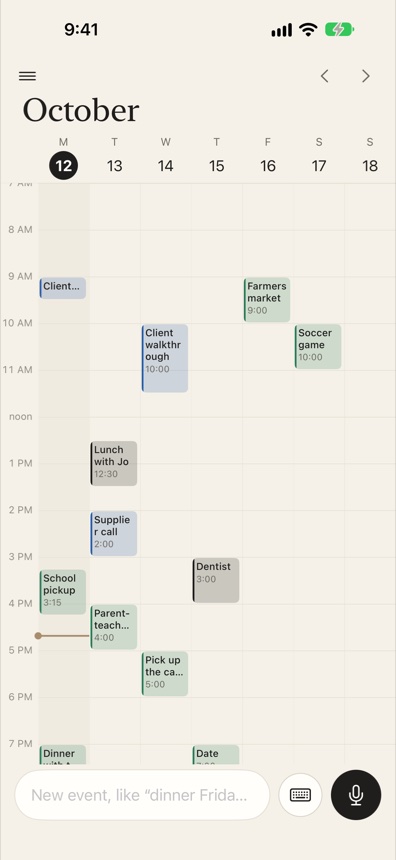
Bring your calendars and reminders along.
Link each calendar and Reminders list on your iPhone to a space. Change an event or tick off a task here and it changes there too. Overlaps are outlined, so you notice a double-booking before it happens.
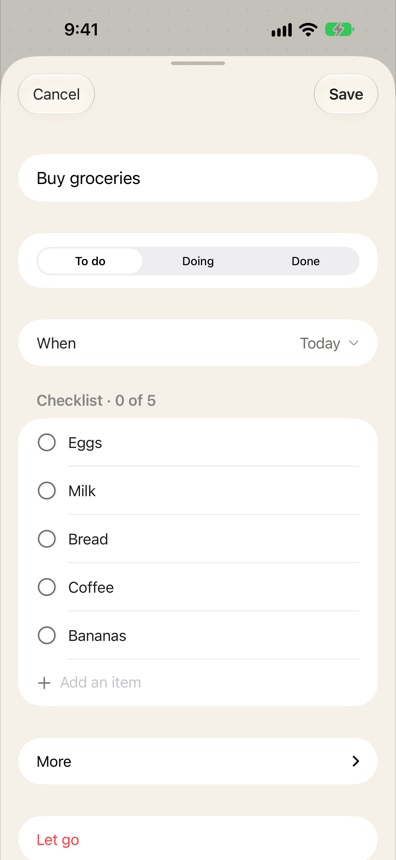
A shopping list is one task, ticked off item by item.
Say or type “Buy groceries: eggs, milk, bread” and each thing becomes an item inside the task. Share it with your household and anyone can tick things off in the store.
- Paste a list and every line becomes an item.
- The last item ticked finishes the task.
Bring in an assistant when you want one.
One Good List works fully on its own. If you like, add a helper. Neither one ever sends, pays or signs in for you.
Goodie, your teammate
Add Goodie to a space and hand it a job. It does the research or the first draft, then writes back on the task. You decide when it's done.
Goodie only sees the spaces you add it to.
Goodie: Here are three, with prices and reviews. Want me to draft the intro emails?
Your own assistant
Connect Claude or ChatGPT with a private link, and ask it about your list, add things, or say “track this in One Good List” to turn a conversation into a project with next steps.
You can switch the link off any time.
Assistant: Pick the tile, schedule the countertop template, book the plumber.
I built One Good List because I run a household and a few businesses, and I wanted one calm place for all of it, with sharing I could trust.
Make room for the rest of your life.
Be the first to try One Good List. For iPhone, in beta.
Invitations go out in small groups. We'll only email you about your invite.